
オービスガイド オフラインマップ版
by Pasoya Co., Ltd.
Version 1,000+ 💾 25 Mb
📅 Updated Eligible if bought after 7/2/2016.
Learn
Equipped with the latest data on crackdowns such as fixed and mobile orbis nationwide!
Features オービスガイド オフラインマップ版
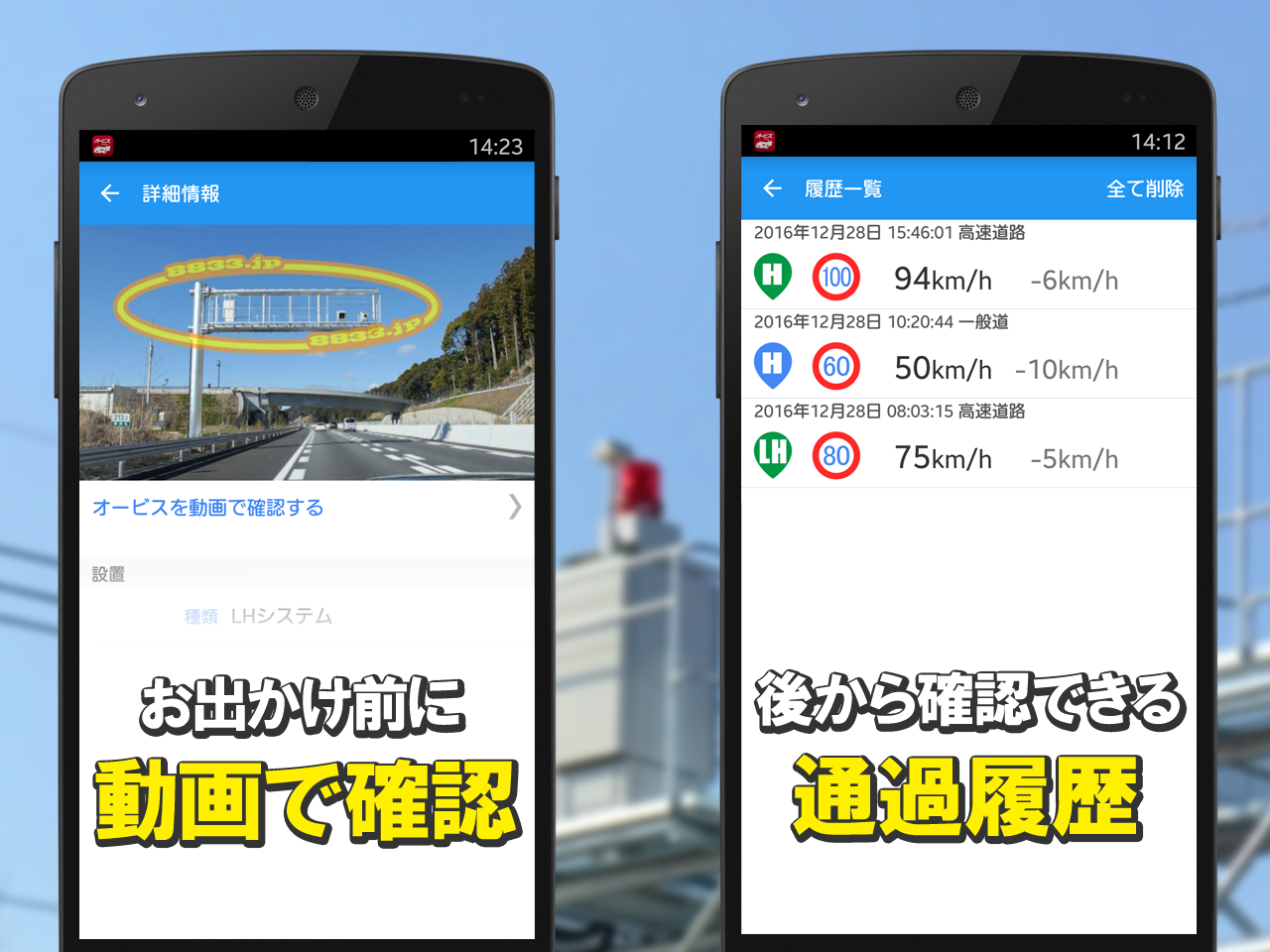
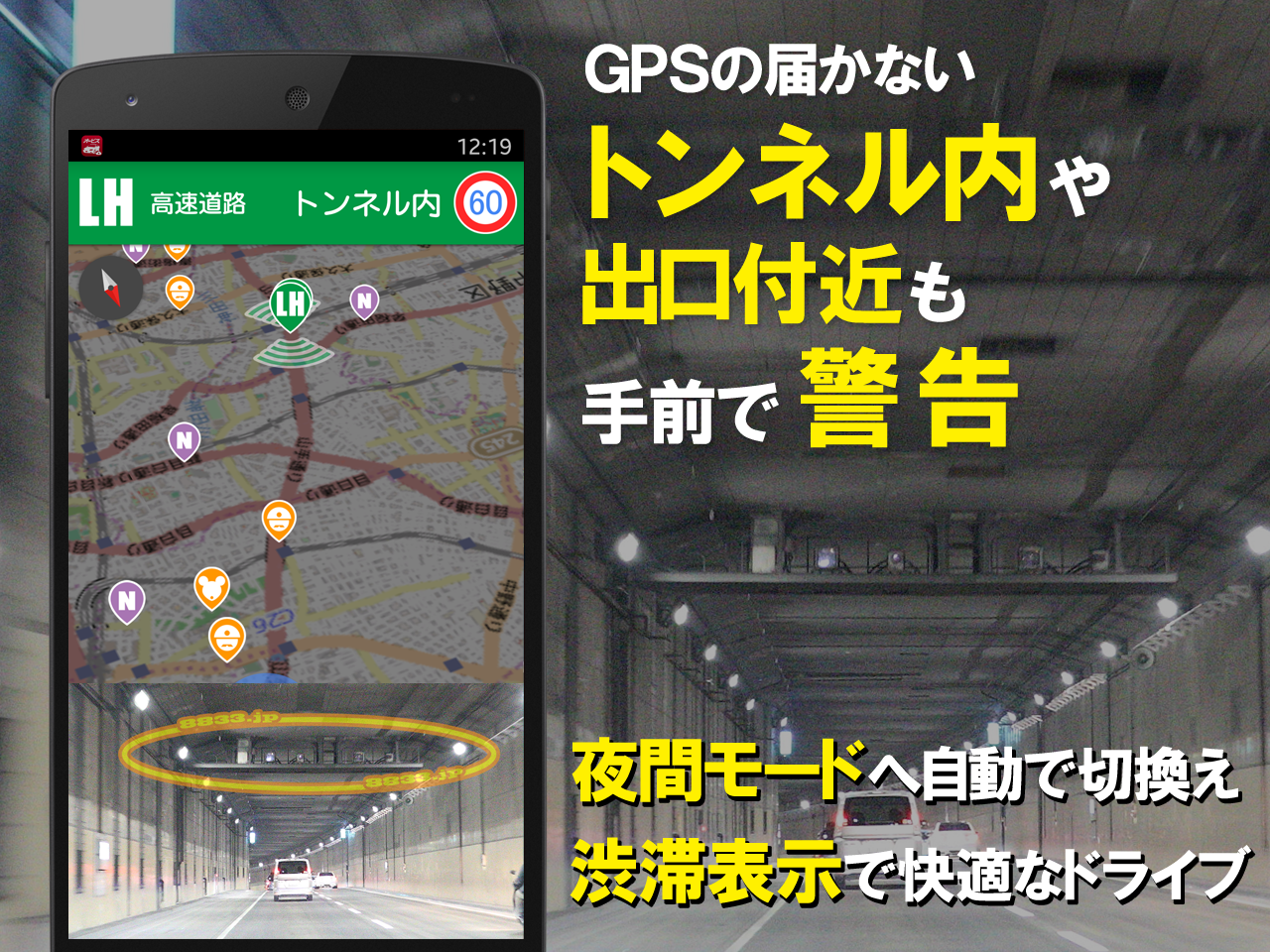
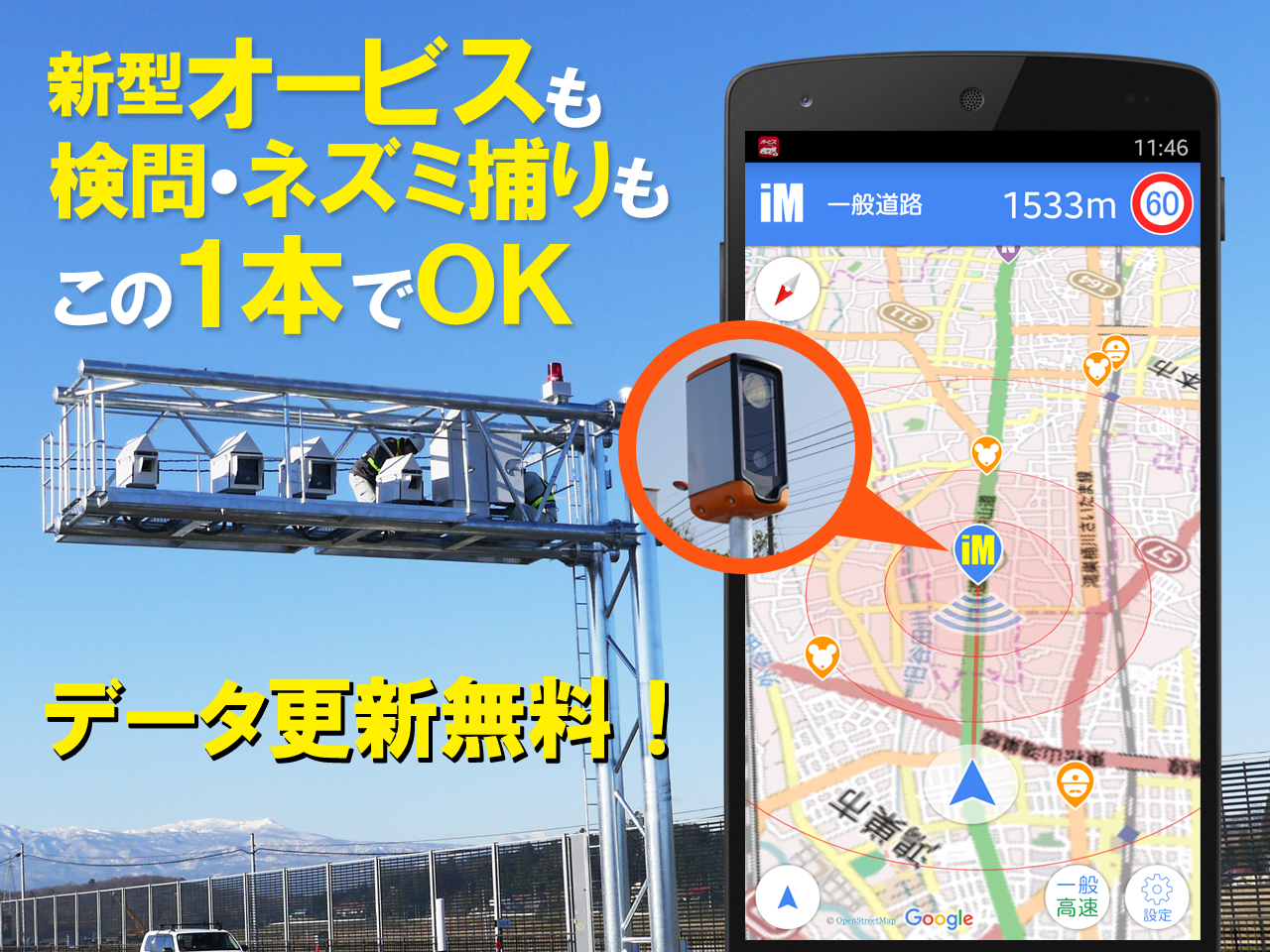
オービスガイドは、業界屈指の全国オービス情報サイト『オービスガイド』が提供する全国の「固定式オービス」「移動式オービス」「Nシステム」「ネズミ捕り」「検問」等の情報を、お車の運転中にお知らせするアプリです。バッググラウンド機能によりナビアプリと併用が可能です。※お使いのアプリによっては通知やサウンドが競合する場合があります。■収録データ■ ※2022年4月時点【オービス】 約1600件(撤去反映済み/移動式オービス含む)【Nシステム】 約2200件【トンネル前】 都心や山間部など30件以上【ネズミ捕り】 約3200件【検問】 約2600件※撤去済みのオービスは速やかに削除してあります。■特殊機能■ ※一般的なオービス警告アプリにはない特別な機能です。・移動式オービスに対応!(ユーザー投稿・スタッフによる現地調査による最新情報提供)・オービスの通過履歴を記録して制限速度と通過速度の差を後から確認する事が可能です。・通過時の走行速度も音声でお知らせします。・都心や山間部などのGPSが利用できないトンネル内や出口付近のオービスも事前にお知らせします。・オービスの手前で制限速度を大きく速度を超過している場合は音声で注意を促します。・渋滞などの速度に合わせて低速時には連続警報音を中断します。・警告時には実際のオービスの設置写真を確認する事ができます。・さらに詳細画面では実際に通過した車載動画をYoutubeで閲覧する事も可能です。■基本機能■・バックグラウンド動作でナビアプリと併用が可能です。・任意の期間に一定以上の速度が出ていなければアプリを中断します。・一般道と高速道路を選択して警告対象の切り替えが可能です。・対向車線の警告ポイントはお知らせしません。・時間帯によって夜も見やすいカラーテーマに切り替わります。・接近時には連続した警告音を鳴らして渋滞の場合は臨機応変に中断します。・地図を隠してバッテリー消費を抑えるエコモードがあります。・全国の取り締まり情報をプッシュ通知します。【ご購入前に確認して下さい!】OpenStreetMapを地図に利用しています。地図の拡大縮小に制約があります。縮尺の細かい詳細な地図は利用できません。※Google Mapを使用したい方は、通常版の「オービスガイド」をご利用下さい。アプリをダウンロード後に地図データをダウンロードする必要があります。約700M程度の保存領域が端末本体内に必要です。※地図データのダウンロードにはWi-Fi環境が必要です。※ダウンロードは数時間かかる場合もございます。※端末のロック中にダウンロードを実行する場合は端末のWi-Fi設定の「スリープ中のWi-Fi接続」を「常にON」に選択して下さい。【通常版、無料版に含まれております『リアルタイム情報共有』『すれちがい』『つぶやき』『ネズミ捕り・検問の詳細情報』機能はございません】■動作環境■・地図をダウンロードする為にインターネット環境が必要です。・現在位置と警告ポイントを比較する為にGPSが必要です。・通知と位置情報の利用許可が必要です。■取り締まり情報■・ネズミ捕り・検問ポイントにつきましては、全てを網羅しているわけではございません。通過した道路上で、初めての取り締まりや、未登録のポイントなどがございましたら投稿頂ければ幸いです。皆様のご協力をよろしくお願いします。■注意事項■・実際の交通ルールに従って安全に運転して下さい。・走行中に操作したり画面を注視せずに運転して下さい。・飲酒検問の情報はありません。・地図の表示や位置情報の取得にバッテリーを大きく消費しますので給電しながらご利用下さい。・移動式オービスや取締りポイントを全て把握することはできません。・今後予告なくアプリの仕様を変更する場合があります。・Androidのバージョンアップに従ってサポート可能なバージョンが変更される場合があります。・バックグラウンドにおいてもGPSを利用しますのでバッテリーを多く消費します。・バッテリーを節約する場合は設定画面で位置情報の取得を中断させる"静止時のスリープ"の時間を短くしてください。【利用規約】https://orbis-guide.com/app/terms/【プライバシーポリシー】http://orbis-guide.com/app/privacy/■免責事項■・このアプリの利用により不利益が生じても、当方は一切責任を負いません。■サウンド提供魔王魂 様 http://maoudamashii.jokersounds.com/■イラスト提供いらすとや 様 http://www.irasutoya.com/■リンクサポートメール:[email protected] (必ずアプリ名を記載して下さい)アプリ紹介ページ https://orbis-guide.com/app/pro/オービスガイド・全国オービス情報サイト https://orbis-guide.com/The Orbis Guide provides information such as "Fixed Orbis", "Mobile Orbis", "N System", "Mousetrap", and "Inspection" provided by the industrys leading national Orbis information site "Orbis Guide".
It is an application that informs you inside.
The background function allows it to be used in combination with the navigation app.* Notifications and sounds may conflict depending on the app you are using.■ Recorded data ■ * As of April 2022[Orbis] Approximately 1600 cases (removal reflected / including mobile Orbis)[N system] Approximately 2200 cases[In front of the tunnel] More than 30 cases in central Tokyo and mountainous areas[Mousetrap] Approximately 3200 cases[Inspection] Approximately 2600 cases* The removed Orbis has been promptly deleted.■ Special function ■ * This is a special function not found in general Orbis warning apps.-Compatible with mobile orbis!(Posted by users and provided with the latest information by field surveys by staff)-It is possible to record the passage history of Orbis and check the difference between the speed limit and the passage speed later.・ The running speed at the time of passing will also be announced by voice.・ We will inform you in advance of Orbis in tunnels and exits where GPS cannot be used, such as in central Tokyo and mountainous areas.・ If the speed limit is greatly exceeded in front of Orbis, a voice alert will be given.-The continuous alarm sound is interrupted at low speeds according to the speed of traffic jams.・ At the time of warning, you can check the actual installation photo of Orbis.-On the details screen, you can also view the onboard video that actually passed on Youtube.■ Basic functions ■-Can be used with the navigation app in the background operation.・ If the speed does not exceed a certain level for an arbitrary period, the application will be interrupted.・ You can switch between warning targets by selecting a general road or an expressway.・ We will not inform you of warning points in the oncoming lane.・ The color theme will switch to one that is easy to see at night depending on the time of day.・ When approaching, a continuous warning sound will be emitted and if there is a traffic jam, it will be interrupted flexibly.-There is an eco mode that hides the map to reduce battery consumption.・ Push notifications of crackdown information nationwide.Please check before you buy!
]I am using OpenStreetMap for the map.There are restrictions on the scaling of the map.Detailed scale maps are not available.* If you want to use Google Map, please use the regular version of "Orbis Guide".You need to download the map data after downloading the app.A storage area of about 700M is required in the terminal body.* Wi-Fi environment is required to download map data.* Downloading may take several hours.* If you want to download while the device is locked, select "Always ON" for "Sleeping Wi-Fi connection" in the devices Wi-Fi settings.[There is no "real-time information sharing", "passing", "tweet", "detailed information on mousetrap / inspection" functions included in the regular and free versions]■ Operating environment ■・ Internet environment is required to download the map.・ GPS is required to compare the current position with the warning point.・ Notification and permission to use location information are required.■ Crackdown information ■・ Mousetrap and inspection points are not exhaustive.We would appreciate it if you could post any crackdowns or unregistered points on the road you passed.Thank you for your cooperation.■ Notes ■・ Please drive safely according to the actual traffic rules.・ Please drive without operating or watching the screen while driving.・ There is no information on drinking inspection.-Since it consumes a large amount of battery for displaying maps and acquiring location information, please use it while supplying power.・ It is not possible to grasp all mobile orbis and crackdown points.・ The specifications of the app may change without notice.-Supportable versions may change according to the Android version upgrade.-Since GPS is used even in the background, it consumes a lot of battery.-If you want to save the battery, shorten the "sleep at rest" time that interrupts the acquisition of location information on the setting screen.【Terms of service】https://orbis-guide.com/app/terms/【privacy policy】http://orbis-guide.com/app/privacy/■ Disclaimer ■・ We are not responsible for any disadvantages caused by using this app.■ Sound provisionMaoudamashii http://maoudamashii.jokersounds.com/■ Illustrations providedIrasutoya http://www.irasutoya.com/■ LinkSupport email: [email protected] (Be sure to include the app name)App introduction page https://orbis-guide.com/app/pro/Orbis Guide / National Orbis Information Site https://orbis-guide.com/オービス・取り締まり情報の更新
Music Features
Enjoy high-quality music streaming and playback features.
Social Features
Connect and share with friends and the community.
Gaming Features
Enjoy immersive gaming experience with various game modes.
See the オービスガイド オフラインマップ版 in Action
Get the App Today
Available for Android 8.0 and above